
Istanbul Airport Wifi: Free Login, SIM and eSIM
How to get online at Istanbul Airport: free iGA Wi-Fi login steps, what to do if the SMS code fails, and whether you need a SIM or eSIM.
On this page
Last updated November 2026. Istanbul airport wifi is free on the iGA WiFi network, and you can log in by SMS or with an access code from a terminal kiosk. This guide covers both login routes, fixes for a failed login, and when a SIM or eSIM is worth buying instead.
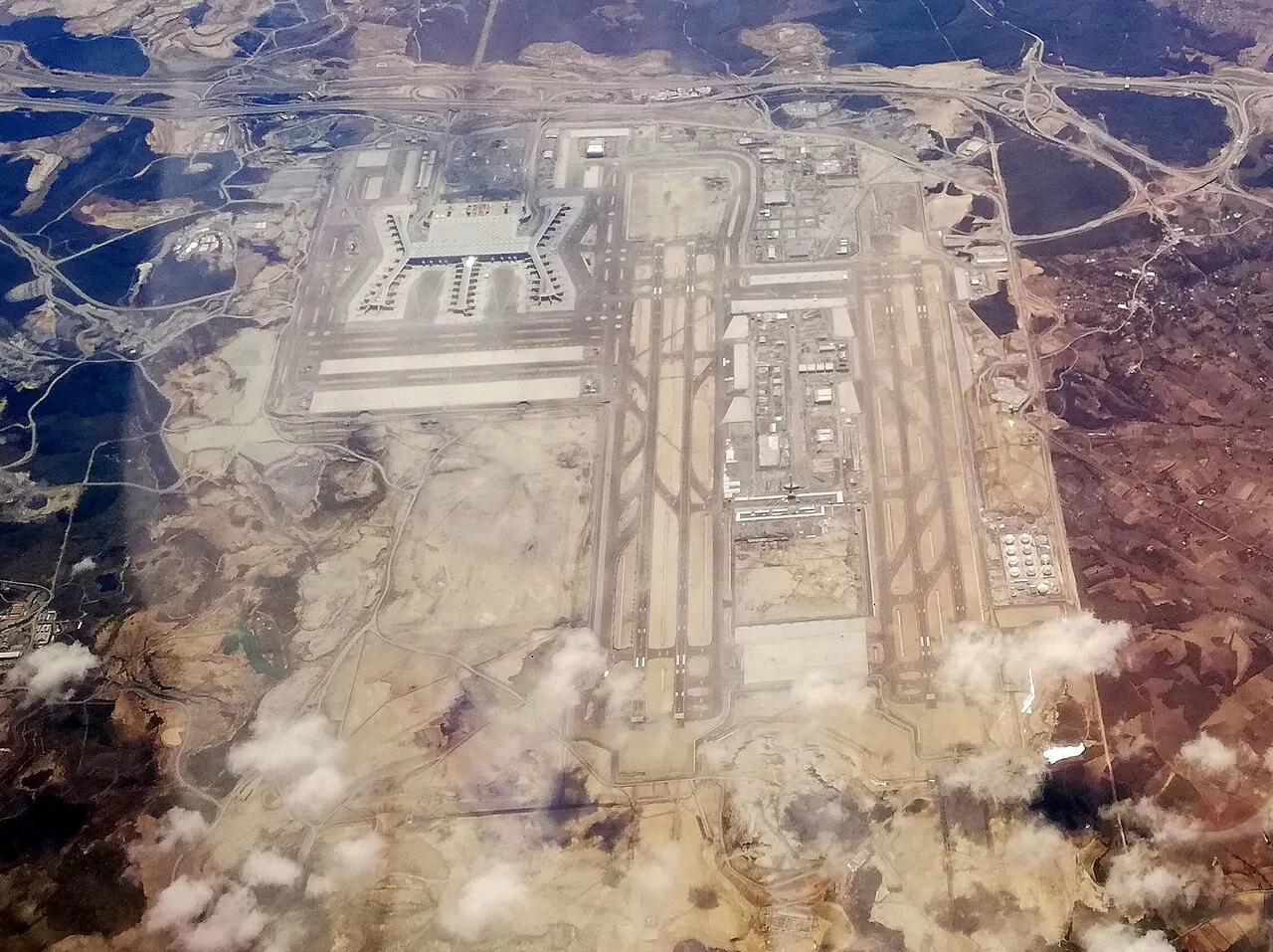
Featured image: muammerokumus, CC BY-SA 2.0, via Wikimedia Commons.

Is Istanbul Airport Wi-Fi free?
Yes. The airport operator, iGA, runs a free network called iGA WiFi at Istanbul Airport (IST). Its FAQ lists one hour of complimentary Wi-Fi, accessed via SMS or passport number. Its Wi-Fi page describes the service as unlimited and free internet. Plan around the one-hour figure and treat anything longer as a bonus. Speed, coverage by gate and device limits are not published, so don't count on a long video call from every seat. Details checked November 2026. Sabiha Gökçen (SAW) publishes its own Wi-Fi terms, so read them on that airport's site before relying on them.

How to connect: two login methods
Both routes start the same way. Open your phone's network list and select iGA WiFi. A login portal should then open. Kiosk scanning needs a passport or ID, which is the operator's stated method for the access code. Decide whether you are comfortable with that before you queue. Use the airport terminal map to orient yourself while you look for a kiosk.

- Login with mobile, step 1: select iGA WiFi in your network list.
- Login with mobile, step 2: choose "Login with Mobile" in the portal that opens.
- Login with mobile, step 3: enter your phone number.
- Login with mobile, step 4: type the password sent to you by SMS into the portal.
- Login with access code, step 1: scan your passport or ID at a kiosk in the terminal to receive an access password.
- Login with access code, step 2: select iGA WiFi on your phone.
- Login with access code, step 3: choose "Login with Access Code" and enter the password.
If the Istanbul airport wifi login fails
Most failures happen at the SMS step. Start there, then move to the kiosk route. Fixes marked "common" are not part of the operator's own instructions.
- SMS code not arriving: make sure your SIM can receive texts abroad. Switch roaming on if your plan needs it. Foreign-number delivery is not documented by the operator.
- Portal not opening: common fixes are turning off a VPN, opening a browser and loading a plain http page, or toggling Wi-Fi off and on.
- Wrong network: select iGA WiFi, not a similarly named hotspot.
- No usable number: use the kiosk route with your passport or ID instead.
- Session ended: the FAQ lists one hour, so log in again if your access stops.
Wi-Fi, roaming, SIM or eSIM: which to choose
Pick by how long you stay and whether you leave the terminal. Costs below are relative levels only, because current prices were not available to check.

| Option | Cost level | Setup effort | Best for | Watch-outs |
|---|---|---|---|---|
| Airport Wi-Fi | Free | Low: SMS or kiosk scan | Airside waits, messages, boarding passes | One hour listed; coverage and speed unpublished |
| Roaming | Low to higher, set by your home plan | None if already enabled | Short stopovers, quick maps | Know your plan's daily rate before landing |
| Local SIM | Low to higher | Medium: phone must be unlocked | Several days in Turkey | Registration rules for foreign phones; passport likely needed |
| eSIM | Low to higher | Medium: install before you fly | Layovers with a city trip | Needs an eSIM-capable, unlocked phone |
- Short layover, staying airside: use airport Wi-Fi and download your boarding pass first.
- Long layover with a city trip: install an eSIM at home, or keep roaming ready for maps and rides.
- Remote-work stopover: do not rely on a one-hour session; arrange a data plan or a lounge connection.
- Family group: pick one shared plan with hotspot sharing, and log each device in separately if you use Wi-Fi.
- Mistake to avoid: arriving with no way to receive the SMS code.
- Mistake to avoid: leaving eSIM setup until after landing, when you have no data to download it.
Getting a SIM or eSIM for Turkey
Booth locations, operators and prices were not available to check, so none are named here. Decide on three points before you fly. First, make sure your phone is unlocked. Second, that it supports eSIM if you want one. Third, keep your passport handy, since registration of foreign phones is subject to Turkish rules. Check the current rules before you travel rather than relying on forum advice. An eSIM installed at home removes the airport queue entirely, which suits anyone who needs maps the moment they clear immigration.
Staying connected on a layover
Match your connectivity to your clock. Istanbul Airport advises arriving at least 3 hours before international departures and 2 hours before domestic ones. A one-hour Wi-Fi session therefore fits a short wait, but not a long one. Our Istanbul layover plan helps you decide whether to leave the terminal. If you stay, airport lounges are an alternative place to work, though their Wi-Fi terms are not covered here. For an overnight wait, see sleeping in the airport. If you head into town, load maps before you leave. The M11 metro runs from Istanbul Airport with 7 stops to Kağıthane, and Metro Istanbul lists its timetable. HAVAİST buses leave from the transport floor (floor -2), and Havaist publishes routes. Our airport to city center guide compares the options.
Free Wi-Fi lasts one hour, yet the airport advises arriving at least 3 hours before international departures, so arrange mobile data for the rest.
Staying safe on public Wi-Fi
Treat any shared network as untrusted. Avoid online banking on iGA WiFi and prefer apps that encrypt traffic. A VPN adds protection, but look up its legal status in Turkey yourself before you depend on it. If the portal fails with a VPN on, switch it off just for login. The kiosk route involves scanning your passport or ID, so use it only at official airport kiosks inside the terminal.
Notes for your next connection
Optional updates when our airport guides change.
You might also like

Continue reading
More guides you'll find useful